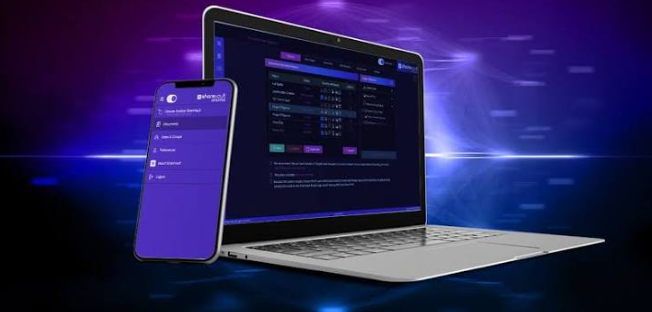

I’ve sat through 14 data room demos in the past couple of years, and I can tell you that almost all of them were beautiful. Someone shared a screen, folders flew open, a watermark appeared, an audit trail scrolled past like a slot machine paying out. Then the actual deal started, and within 48 hours the buyer’s finance lead was emailing me because she couldn’t find the March bank statements in a 900-file index.
The demo is a sales artifact. The live room is an operating environment, and the two are built for different people. Vendors design demos to impress a partner who will spend maybe 20 minutes inside the platform. They design the actual room for an associate who will spend six weeks in there hunting for one warranty schedule. When those two experiences diverge, the deal slows down and everyone blames the software.
One setup I keep coming back to is Diliroom, largely because the emphasis lands on document control rather than dashboard theatrics. Still, no platform fixes a bad rollout, and that’s the part most teams get wrong. If you want a clean demo to turn into a clean deal, you have to plan for what happens after the screen share ends.
What the demo never shows you about a live deal
Demos run on curated folders. Ten documents, perfectly named, all in the right place. A real diligence index arrives as a pile of exported spreadsheets, scanned PDFs with inconsistent naming, and a folder called “misc” that someone created in 2019 and never cleaned up. Your buyer inherits that mess the moment you grant access.
Here’s my stance, and I’ll take the hit for it: most teams should spend twice as much time on index structure as on picking a vendor. The vendor matters, but a well-organized room on a mid-tier platform beats a chaotic room on the most expensive one every single time. I’ve watched that play out more than once, and it never goes the other way.
Security is where the gap shows up next. In a demo, multifactor authentication takes eight seconds and looks reassuring. In a live room with 30 external users, including two advisors who joined late and one banker working from a phone in an airport, it becomes a support queue. Plan the access matrix before you invite anyone, not after the first lockout email lands at 11 p.m.
See also: Trulife Distribution Lawsuit: Examining Allegations of Misleading Marketing Practices
The first 48 hours decide how the rest of the deal feels
Speed of setup is where most rooms lose goodwill. Your buyer forms a first impression in the opening window of access, and that impression sticks for the duration. A slow, confusing start makes every later request feel like a negotiation.
Set naming conventions before upload, then enforce them. “2024_Q3_Financials_Consolidated” beats “Q3 final v2 (2)” every time, and I don’t care how obvious that sounds because I still see the second one in rooms that cost five figures a year. Make one person the index owner. Rotate permissions in a single batch rather than drip-feeding them. Lock the folder tree before the first external invitation goes out, because changing structure mid-deal forces every user to relearn the room.
The standards behind these choices are not arbitrary. Managing information securely is a discipline with published guidance, and the International Organization for Standardization maintains frameworks that deal rooms borrow from whether they admit it or not. Encryption at rest, access logging, and defined retention windows all trace back to that kind of guidance. Buyers increasingly know this too, so a room that follows the pattern feels familiar instead of improvised.
Who actually lives in your data room
Not the person watching the demo. That’s the whole problem in one sentence.
The demo audience is a managing director, a general counsel, maybe a CFO. They want to see that the thing locks down and looks professional. Your day-to-day users are different: a paralegal building a document index, a junior associate pulling contracts for a redline, an external accountant verifying numbers against a trial balance. They don’t care about the interface. They care whether they can find a specific clause in under a minute.
When I’m evaluating a room, I run one test. I ask the vendor to show me a search for a phrase buried inside a scanned exhibit, not a filename. Live search across document content is the feature that separates a room people tolerate from one they actually use. If the demo only searches titles, that room will cost your deal team hours.
Privacy expectations add a second layer, especially for cross-border deals. Buyers now ask where data sits and who can access it, and for European transactions that question has a defined answer under the General Data Protection Regulation. Server location is not a technical footnote, it’s a diligence item, and it shows up in the Q&A list more often than it did five years ago.
A rollout checklist that survives contact with real buyers
Here’s the practical part. Run this before you open the room to anyone outside your organization, and run it again when the buyer’s advisors join.
- Lock your index structure. Three levels maximum. If you need a fourth, your folders are doing work your naming should be doing.
- Standardize file naming across every upload, including the PDFs your lawyers scanned last minute.
- Build the access matrix on paper first: name, role, folder scope, permission level, expiration date.
- Upload in bulk rather than piecemeal, so buyers see a complete index on day one instead of a growing one.
- Test search from a buyer’s account. Try three obscure phrases and confirm the results land where you expect.
- Turn on dynamic watermarks and confirm they render on downloaded files, not just on screen.
- Verify every external user’s multifactor authentication works before you announce the room is live.
- Check your Q&A workflow end to end. Ask a colleague to submit a question and answer it as the deal lead would.
- Set download permissions deliberately. Some rooms should allow prints, and most should not.
- Schedule one rehearsal session with your own team, then one with a friendly advisor who will actually complain.
That last item matters more than it sounds. Someone outside your company will break something you didn’t think to test, and you want that to happen in rehearsal, not during a buyer’s diligence window.
Compliance pressure around document handling keeps tightening, and regulators care about how companies control access to sensitive records. Baselines published by the Federal Trade Commission on protecting business data cover principles that apply to a deal room just as much as a customer database. You don’t need a legal opinion to follow them. You need a permission model and the discipline to keep it current.
The gap closes when you stop selling and start operating
A demo answers one question: does this platform look trustworthy? A live room answers a harder one: can 25 people, half of them strangers, work inside it for six weeks without friction, leaks, or a lost document? Those are different tests, and passing the first tells you almost nothing about the second.
Pick a platform with real document control. Then treat your index, your naming, and your permissions as the actual product, because that’s what your buyer experiences. The software is just the container.
So before your next deal, ask yourself a blunt question: if I handed this room to a skeptical buyer tomorrow morning, with no walkthrough and no one holding their hand, would they find what they need by lunch? If the honest answer is no, the demo you loved was hiding a problem you can still fix.